

Overview
To send or receive e-invoices, an entity needs to be registered on the e-invoicing network. Monite API allows you to automatically register your entities on the PEPPOL e-invoicing network in just a few minutes. Once done, all e-invoices sent to the entity via PEPPOL will arrive directly to the entity’s accounts payable in Monite.Requirements
- The entity must be from a supported country.
- The entity must not already be registered in PEPPOL through another platform.
Considerations
Roles and permissions
The/einvoicing_connections* endpoints mentioned in this guide can be called both with partner tokens and entity user tokens.
Entity users do not need any special permissions.
Register an entity in PEPPOL
Depending on the entity’s country, you can register the entity in PEPPOL using its business number or VAT number or both. Refer to the list of supported schemes.If an entity has both the business number and VAT number, which one to use for PEPPOL registration?The country-specific regulations are as follows:
- Belgium Peppol authority requires using the business number (KBO/BCE number) as the primary identifier.
- Dutch Peppol authority recommends registering both KVK and VAT number.
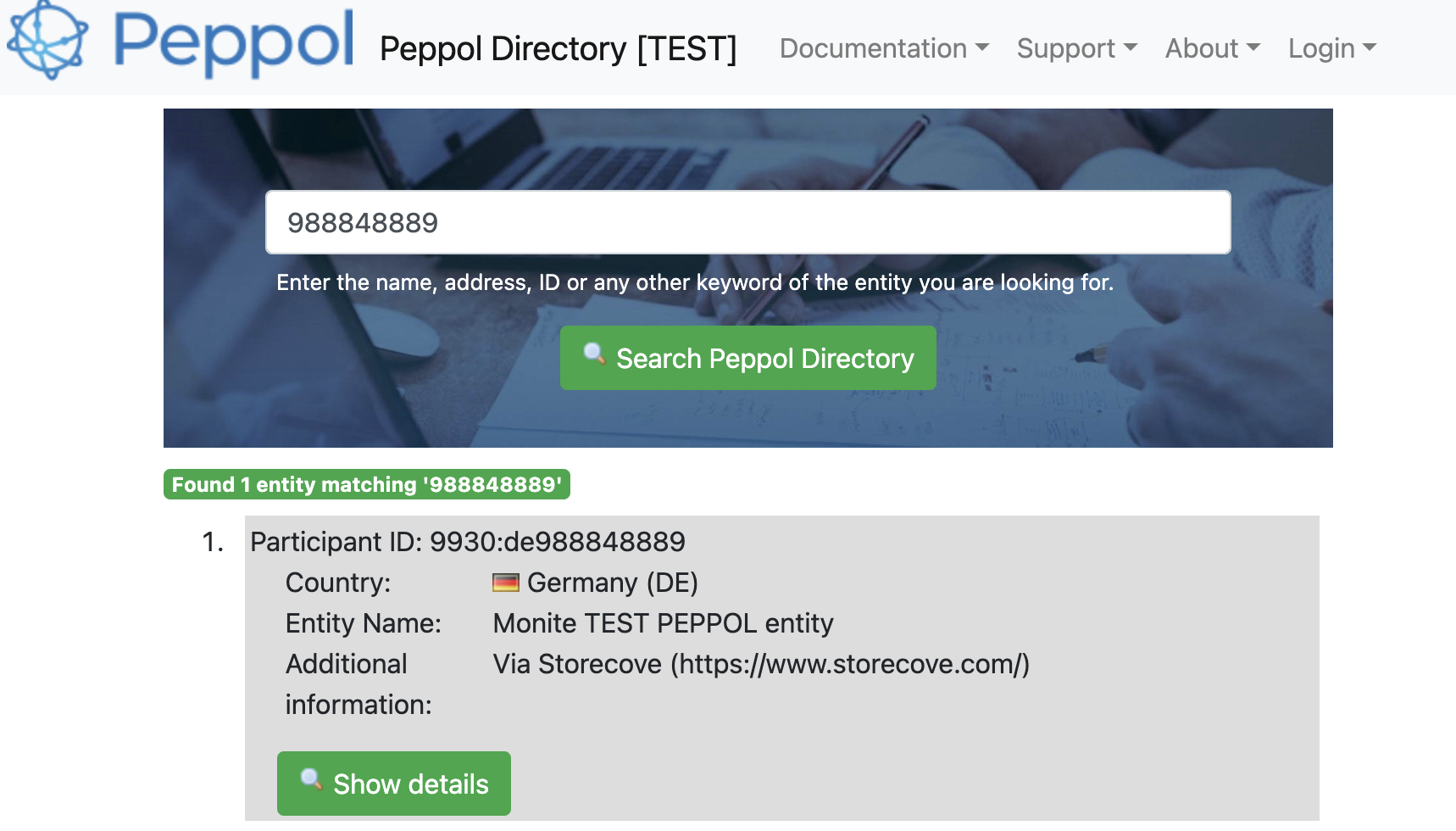
Register using VAT ID
If the entity’s VAT number has been added as a VAT ID in Monite, you can register the entity in PEPPOL using this VAT ID. To do this, callPOST /einvoicing_connections and specify the UUID of the entity’s VAT ID and the address to be listed in the pubic PEPPOL directory.
The address would typically be the same as the address specified in the entity object, but can be different if needed.
address.country specified in this request (rather than from the country of the VAT ID object).
For example, DE:VAT for Germany or NL:VAT for the Netherlands.
The PEPPOL ID assigned to the entity will be:
9925:BE<vat number digits>for Belgium entities, e.g.9925:BE01234567899944:NL<vat number>for Dutch entities, e.g.9944:NL123456789B129930:DE<vat number digits>for German entities, e.g.9930:DE123456789
credentials[].id value returned in the response - you will need it later when creating e-invoices on behalf of this entity.
Register other identifiers
This approach can be used to register an entity’s business number (such as Dutch KVK) as its PEPPOL identifier. If you have not created an e-invoicing connection for the entity yet, create one by callingPOST /einvoicing_connections.
In the request body, specify the entity’s address to be listed in the public PEPPOL directory.
This address would typically be the same as the address specified in the entity object, but can be different if needed.
id of the e-invoicing network connection:
POST /einvoicing_connections/ and specify the PEPPOL scheme name and the entity’s identifier corresponding to that scheme:
id of the entity’s PEPPOL identifier.
You will need this id later when creating e-invoices on behalf of the entity.
<code> is the ICD code corresponding to the network_credentials_schema used.
Registration errors
If the same VAT ID or business number is already registered in PEPPOL, the abovementioned API calls return an HTTP 422 error. You can usually encounter this error in the sandbox environment when trying to register random test identifiers that are already registered by other participants. 422 status is also returned if the specified identifier has incorrect length or format.Sample error responses
Sample error responses
PEPPOL identifier already registered:Incorrect identifier length:
Check e-invoicing onboarding status
Entity registration in PEPPOL is usually immediate. After at least one PEPPOL identifier has been registered, thestatus of the e-invoicing connection will be active.
This means the entity can both send and receive e-invoices.
To check e-invoicing status, call GET /einvoicing_connections/{connection_id} and examine the status value in the response:
status can be pending if you called POST /einvoicing_connections with only address and did not register any PEPPOL identifier afterwards.
This is indicated by an empty credentials array in the e-invoicing connection object.
To resolve the issue, call POST /einvoicing_connections/ to register a PEPPOL identifier for the entity.
If the status is inactive or failed, contact us for assistance.
Update or remove a PEPPOL ID
Currently there is no way to update or remove existing PEPPOL IDs of an entity. As a workaround, you can delete the e-invoicing connection and re-create it with the correct PEPPOL IDs. However, this temporarily terminates the entity’s PEPPOL registration which may be undesirable.Offboarding: Deregister an entity from PEPPOL
If an entity is no longer your customer or does not want to use e-invoicing through the Monite platform, you can offboard this entity by deleting its e-invoicing connection. To do this, callDELETE /einvoicing_connections/.
This terminates the entity’s registration in PEPPOL, deletes its PEPPOL IDs, and removes the entity from the PEPPOL directory.
The entity will no longer receive PEPPOL e-invoices into the Monite platform, and cannot send e-invoices as well.
Deregistration is usually immediate but may take up to one hour.