

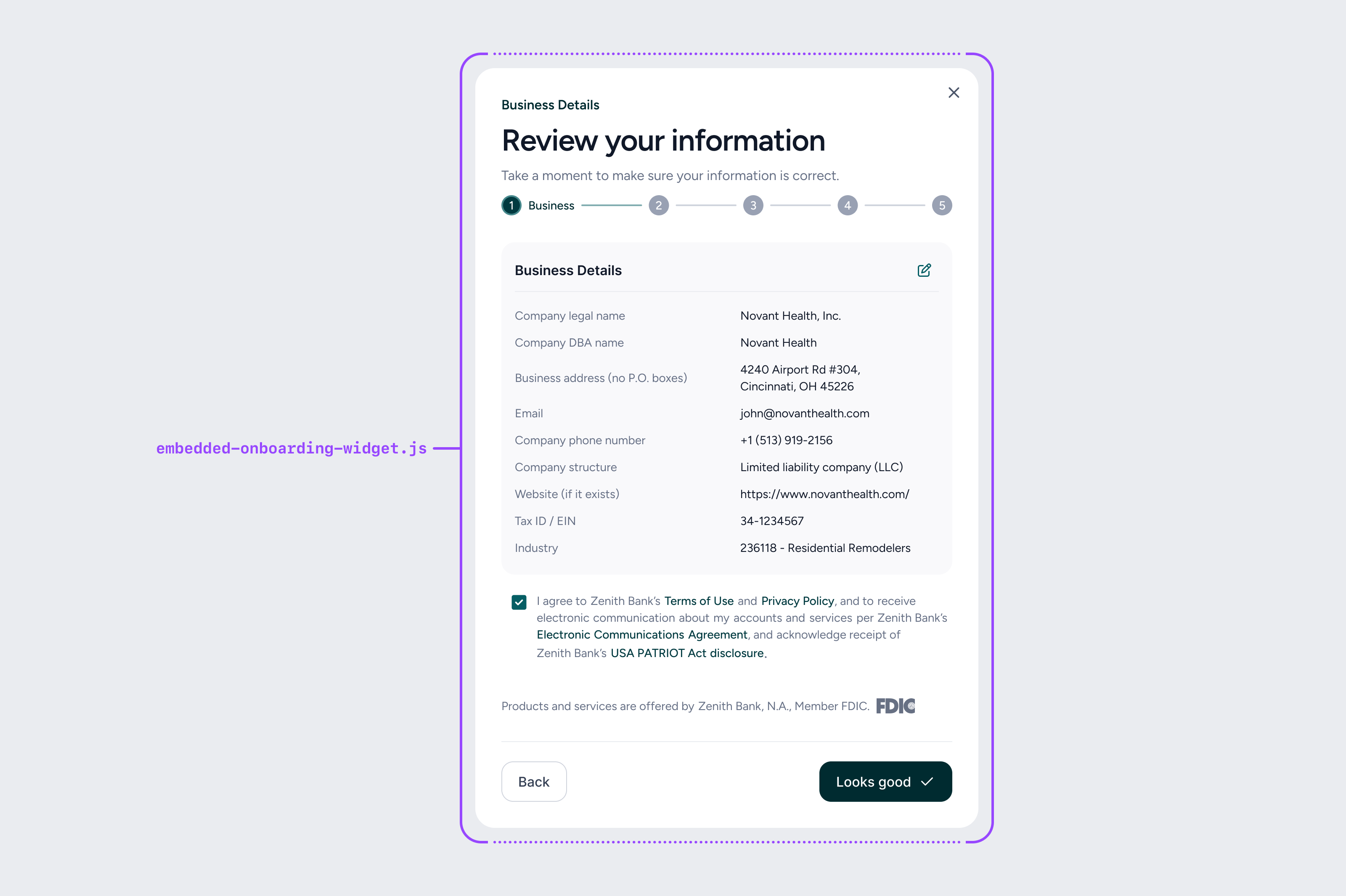
- Business entity - The legal information on the business itself.
- Business controller - An individual with the power to direct, manage, or significantly influence the financial activities or policies of a business, even if they are not the legal owner (e.g. the CEO, CFO or a VP).
- Beneficial owners - A person who owns 25% or more of the company’s ownership interests (directly or indirectly).
- A business may have between zero and 4 beneficial owners
Pre-filling data fields in the onboarding form
The following data fields are required for onboarding. If you already store any of these fields, you can pass them in to the flow in your code that invokes the onboarding widget and they will be pre-filled in the UI. Users always have the ability to edit any pre-filled fields. See the code snippet below for details on the structure of these objects in your HTML.| Onboarding Field | Pre-fill Parameter | Example |
|---|---|---|
| Company legal name | companyLegalName | Nail It Technology, Inc. |
| Company DBA name | companyDbaName | Nail It |
| Company address | businessAddress | 123 Main St. |
| Company city | city | Phoenix |
| Company state | state | Arizona |
| Company ZIP code | zipCode | 85001 |
| Company phone number | companyPhoneNumber | 555-345-3434 |
| Company business structure | companyStructure | llc |
| Company website | website | https://www.website.com |
| Company EIN or Tax ID | taxId | 123456789 |
| Company industry NAICS code | industryCode | 111331 |
| Controller first name | firstName | Jack |
| Controller last name | lastName | Smith |
| Controller date of birth | dateOfBirth | 01-01-1999 |
| Controller SSN | ssn | 213-45-6789 |
| Controller home address | homeAddress | 234 Main St. |
| Controller city | city | Chicago |
| Controller state | state | IL |
| Controller ZIP code | zipCode | 22313 |
| Controller work email | workEmail | jack.smith@example.com |
| Controller phone number | mobilePhoneNumber | 555-345-2343 |
| Controller is also owner | ownsOver25Percent | yes |
| Controller ownership percent | ownershipPercentage | 50 |
| Beneficial owner first name | firstName | Jane |
| Beneficial owner last name | lastName | Doe |
| Beneficial owner date of birth | dateOfBirth | 02-15-1990 |
| Beneficial owner SSN | ssn | 123456789 |
| Beneficial owner address | homeAddress | 123 Main St. |
| Beneficial owner city | city | New York |
| Beneficial owner state | state | New York |
| Beneficial owner ZIP code | zipCode | 99999 |
| Beneficial owner phone number | phoneNumber | 5552344456 |
| Beneficial owner percent | ownershipPercentage | 46 |
Returning your user to the right place after onboarding
At the end of the onboarding flow, our modal can present the user a button to navigate to the banking section of your dashboard. You can pass in the location of the banking section of your dashboard using thedata-banking-dashboard-href parameter.
Onboarding statuses
There are three potential outcomes of the application submission:- Instant Approval - In this case the user can immediately view the banking dashboard and start using the account.
- Manual Review - Some applications may require more time by the bank to review the information for accuracy, in which case the user will be informed via email when their application is reviewed.
- Denied - In rare cases, an application could be denied if it appears fraudulent or too risky for the bank to take on.