

Overview
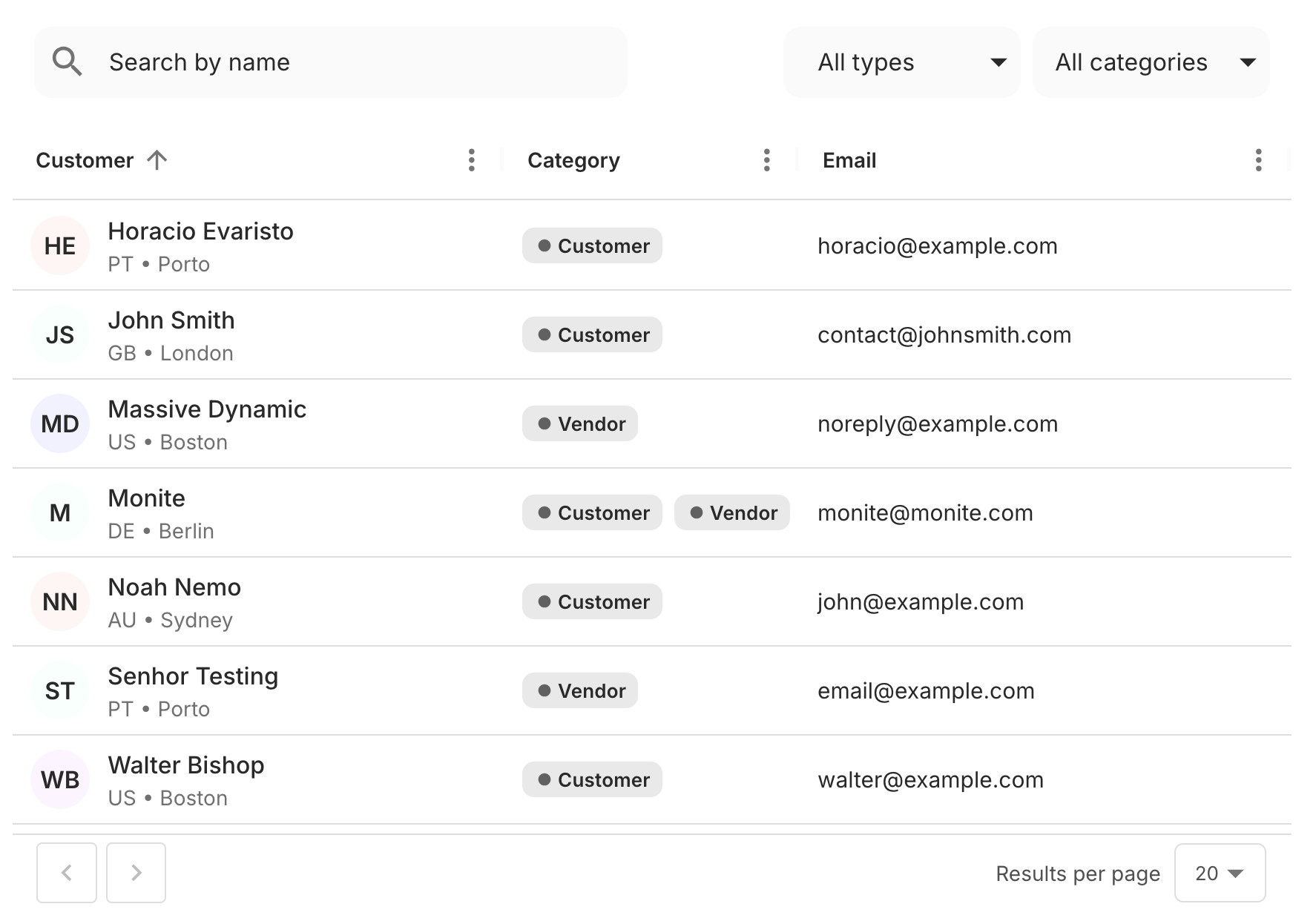
TheCounterpartsTable component displays a table with a list of counterparts available to the authenticated entity user. The table displays the counterpart name, type (customer or vendor), country and city, and the default contact (if any). This component calls the GET /counterparts endpoint to fetch the data.
The table supports the following functionality out-of-the-box:
- Pagination: the user can navigate to the next or previous page only. The default page size is 10 items per page.
- Sorting by the counterpart name.
- Searching counterparts by name.
- Filtering by the counterpart type: customer or vendor, organization or individual.
Permissions
To access this component, the entity user must haveread permissions for the counterpart object. For more information, see List of permissions.
Preview
Usage
Use in theCounterpartsTable component in your application as shown:
React.js
Props
The following table shows allCounterpartsTable component properties, their types, and description:
| Prop | Type | Description |
|---|---|---|
onChangeFilter | function | This callback is triggered when the filtering options are changed. |
onChangeSort | function | This callback is called when the current sorting order for any column is changed. It returns the newly sorted field and order. |
onRowClick | function | This callback takes the identifier of the clicked row as a parameter and is triggered when a counterpart table row is clicked. |
showCategories | boolean | This prop determines whether or not the “Type” column will be shown on the CounterpartsTable component. Defaults to true |
onChangeSort takes one argument whose value is an object with the following fields:
sort- the field name of column whose sort order was changed. For example,policy_name.order- the new sort order, eitherascordesc
paginationTokens is used to determine the availability of the “Next” and “Previous” buttons at the bottom of the table. For more information, see Pagination, sorting, and filtering.