

Overview
TheTemplateSettings component (alias DocumentSettings) enables users to customize their invoice look-and-feel and branding.
Users can:
- choose from several built-in PDF templates,
- upload, replace, or remove the entity logo for PDFs,
- change the format of document numbers for invoices, quotes, and other document types (for example,
INV-00042orIN/2025/042), - set the next number for invoices and other document types,
- add or hide certain sections in PDFs (such as bank account details or signatures),
- and more.
All options apply only to newly created documents and do not affect existing documents.
TemplateSettings component displays the available settings in tabs:
- "Layout and logo" tab
- "Document number" tab
- "Other settings" tab
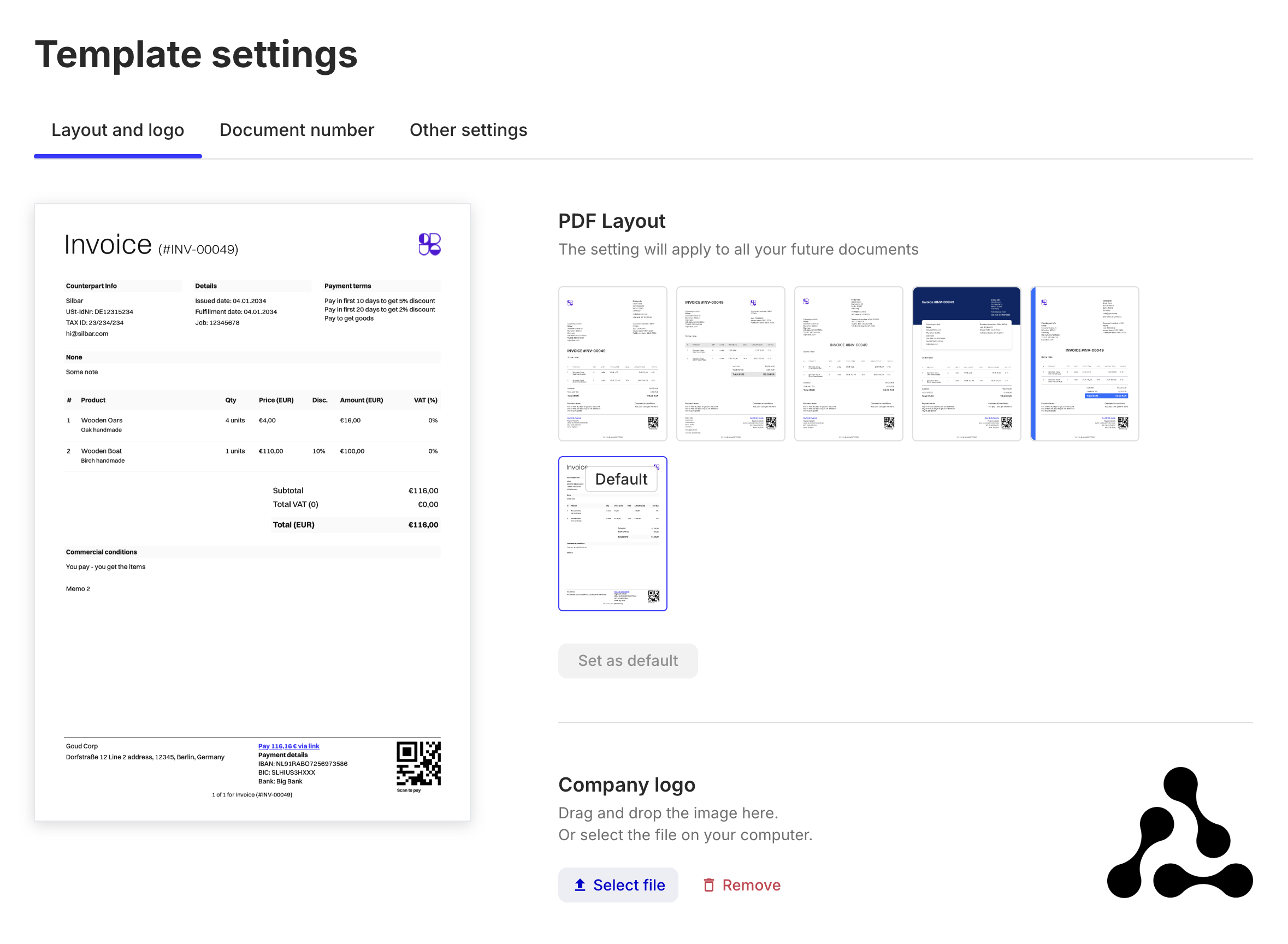
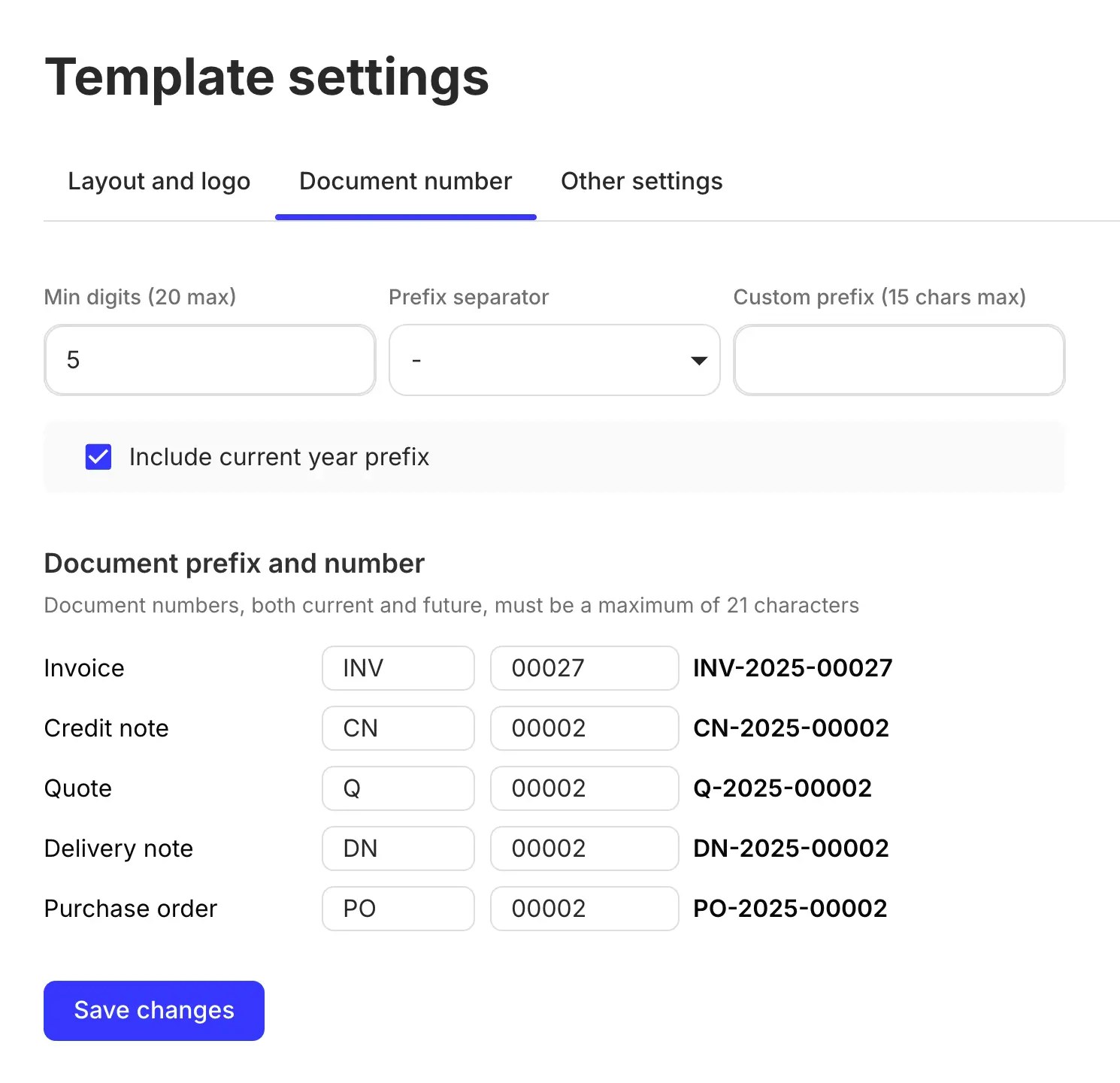
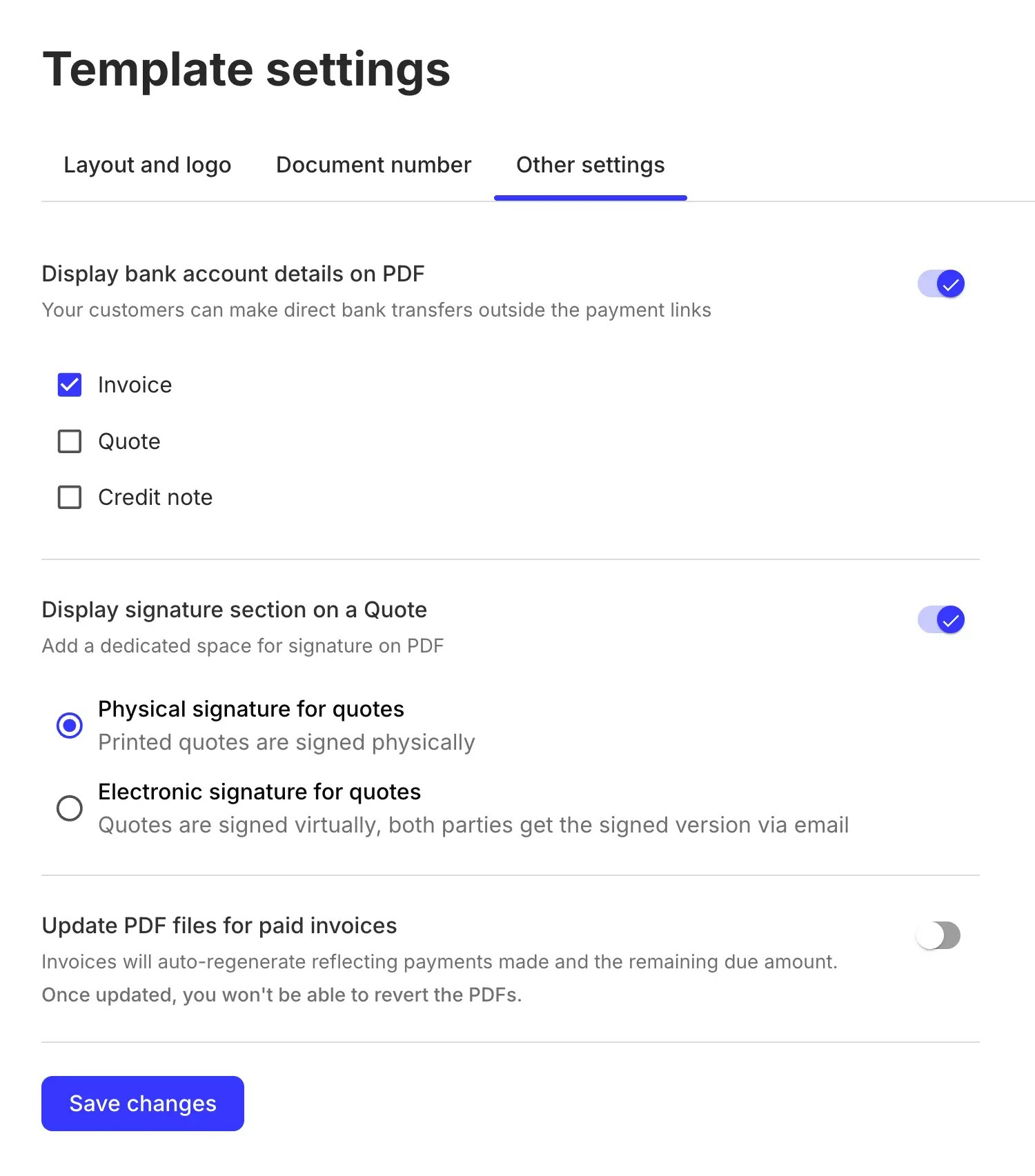
TemplateSettings is embedded into InvoiceDetails for seamless invoice editing experience.
Permissions
To access and use theTemplateSettings component, the authenticated entity user must have a role with the read and update permissions for the entity resource.
Usage
Use theTemplateSettings component in your application as follows:
- Render as a standalone screen
- Render in a popup
React
Props
If
true, the component will be rendered inside a <Dialog> wrapper.This prop also controls the component’s caption: “Template settings” (if false) or “Edit template settings” (if true).This prop has effect only if
isDialog is true.
It controls the overall visibility of the component.Has effect only if
isDialog is true.
This callback is triggered when the user closes the template settings dialog.